About Dot-a-Pix: Connect the Dots
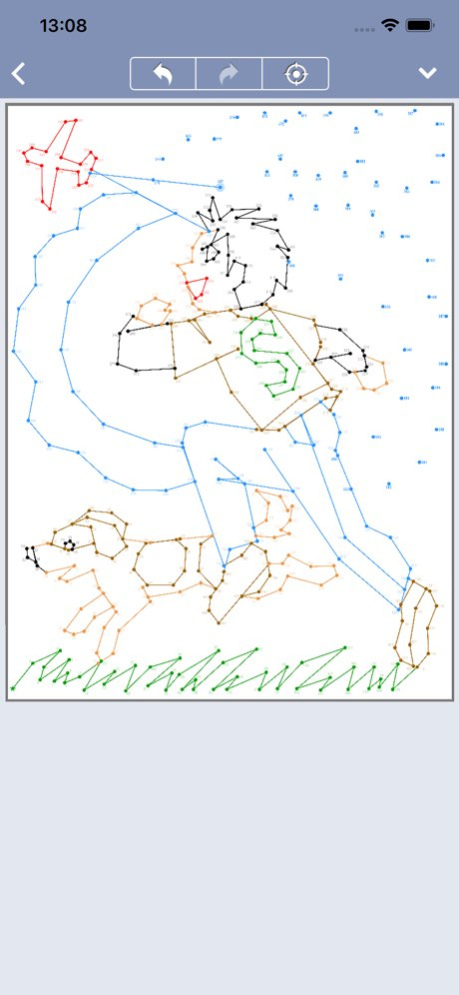
Connect all dots to reveal a beautiful color picture! Each puzzle consists of a collection of color dots with clues next to each dot. The object is to reveal a hidden picture by connecting the dots in ascending order and...
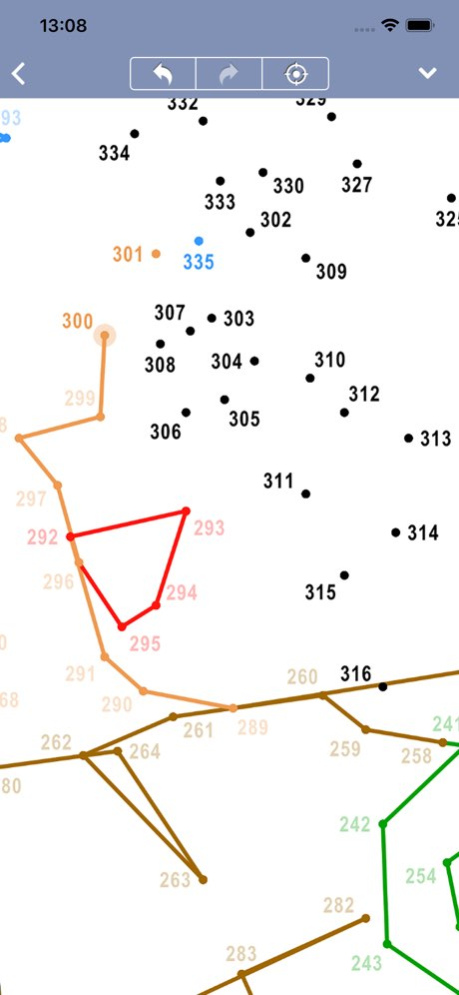
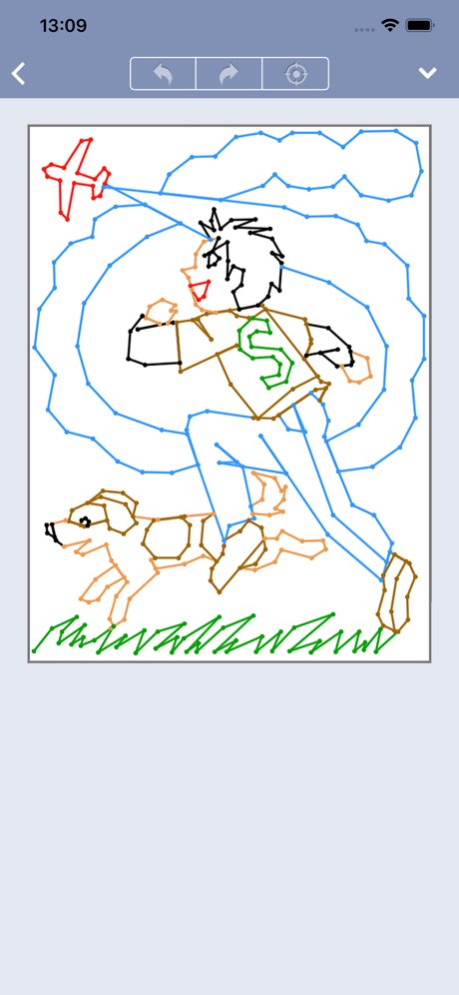
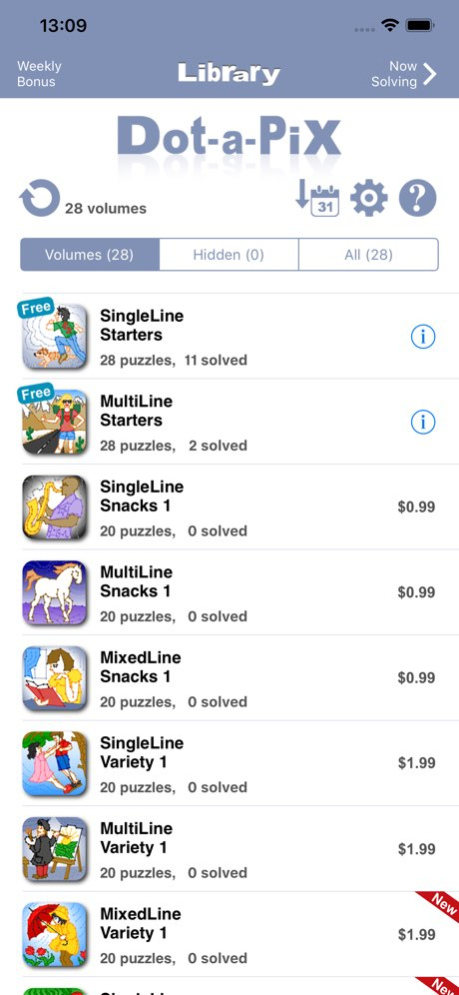
Connect all dots to reveal a beautiful color picture! Each puzzle consists of a collection of color dots with clues next to each dot. The object is to reveal a hidden picture by connecting the dots in ascending order and according to their color starting with 1 and ending with the highest number. Dot-a-Pix are an advanced adaptation of the classic dot-to-dot puzzles which provide high quality color pictures when solved. Starting with dozens and going up to several hundreds of dots, Dot-a-Pix puzzles create beautiful detailed pictures and provide the satisfaction as if you drew them yourself. The game features a Bring to Focus button to help locate the active dot, and an option to instantly move the active dot to any number for faster solving. To help see the puzzle progress, graphic previews in the puzzle list show the progress of all puzzles in a volume as they are being solved. A Gallery view option provides these previews in a larger format. For more fun, Dot-a-Pix includes a Weekly Bonus section providing an extra free puzzle each week. PUZZLE FEATURES . 56 free Dot-a-Pix puzzles in color . Extra bonus puzzle published free each week . Puzzle library continuously updates with new content . Manually created by artists, top quality puzzles . Up to 1200 dots per puzzle . Hours of creativity and fun GAMING FEATURES . No ads . Zoom, reduce, move puzzle for easy viewing . Unlimited Undo and Redo . Bring to Focus button to help locate active dot . Moving active dot to any number for faster solving . Concurrently playing and saving multiple puzzles . Puzzle filtering, sorting and archiving options . Graphic previews showing puzzles progress as they are being solved . Dark Mode support . Portrait and landscape screen support (iPad only) . Track puzzle solving times . Backup & restore puzzle progress to iCloud ABOUT Dot-a-Pix have also become popular under other names such as Picture Dots, Dot-to-Dot, Join the Dots and Connect the Dots. All puzzles in this app are produced by Conceptis Ltd. - the leading supplier of logic puzzles to printed and electronic gaming media all over the world. On average, more than 20 million Conceptis puzzles are solved each day in newspapers, magazines, books and online as well as on smartphones and tablets across the world. Terms of Use: https://www.apple.com/legal/internet-services/itunes/dev/stdeula/ Privacy Policy: https://www.conceptispuzzles.com/index.aspx?uri=info/doc/220
Version History This version improves performance and stability. 2.8 Aug 18 This version improves performance and stability. 2.7 May 4 This version improves performance and stability. 2.6 12/25/2025 This version improves performance and stability. 2.5 08/28/2025 This version improves performance and stability. 2.4 05/17/2025 This version improves performance and stability. 2.3 12/17/2024 This version improves performance and stability. 2.2 08/22/2024 This version improves performance and stability. 2.1 06/11/2024 This version improves performance and stability. 2.0 03/21/2024 This version improves performance and stability. 1.9 02/05/2024 This is a major update introducing a new architecture, features and improvements: • Puzzle packs are now split into 2 sections: Library, showing the free and purchased puzzle packs you can play, and Shop, showing the puzzle packs you can buy. • Added powerful filtering options by variant, difficulty, size, and price. You can now find your favorite puzzles easily and fast! • Improved sorting options and added a ‘recent on top’. You can now easily find the last puzzles you were working on. • Added previous/next navigation buttons to the completed puzzle screen. You can now start solving the next puzzle with a single tap of a button. • Added a wishlist option in the Shop section. You can now mark the favorite puzzle packs you would like to buy in the future and view them in the wish list section. • Added an archiving option in the Library section. You can now archive completed puzzle packs if you no longer want to see them in the Library list. • Added automatic restoring purchases when re-installing the app. • Added automatic refreshing to the puzzle pack list in the Shop section. New packs will now automatically show when they are released. • Added Dark Mode support 1.8 10/11/2023 This version improves performance and stability. 1.7 03/31/2022 This version improves performance and stability. 1.6 10/03/2021 This version improves performance and stability. 1.5 10/04/2020 This version introduces • Graphic puzzle previews in the puzzle list screen, showing the progress of all puzzles in a volume as they are being solved. A Gallery view option has also been added for users preferring to see the puzzle previews in a larger format. • Backup & Restore: save puzzle progress to iCloud and restore it back when the app is reinstalled. 1.4 03/17/2020 This version improves performance and stability. 1.3 07/20/2019 This version improves performance and stability. 1.2 03/07/2019 Optimized for iPhone XS Max, iPhone XR and iOS 12 1.1 11/28/2018 1.0 04/12/2018
Previous Versions
Here you can find the changelog of Dot-a-Pix: Connect the Dots since it was posted on our website on 2021-12-17 03:02:10.
The latest version is 2.8 and it was updated on 2026-10-14 12:56:16. See below the changes in each version.
Dot-a-Pix: Connect the Dots version 2.8
Updated At: 2026-10-14
Changes: Version History This version improves performance and stability. 2.8 Aug 18 This version improves performance and stability. 2.7 May 4 This version improves performance and stability. 2.6 12/25/2025 This version improves performance and stability. 2.5 08/28/2025 This version improves performance and stability. 2.4 05/17/2025 This version improves performance and stability. 2.3 12/17/2024 This version improves performance and stability. 2.2 08/22/2024 This version improves performance and stability. 2.1 06/11/2024 This version improves performance and stability. 2.0 03/21/2024 This version improves performance and stability. 1.9 02/05/2024 This is a major update introducing a new architecture, features and improvements:
• Puzzle packs are now split into 2 sections: Library, showing the free and purchased puzzle packs you can play, and Shop, showing the puzzle packs you can buy.
• Added powerful filtering options by variant, difficulty, size, and price. You can now find your favorite puzzles easily and fast!
• Improved sorting options and added a ‘recent on top’. You can now easily find the last puzzles you were working on.
• Added previous/next navigation buttons to the completed puzzle screen. You can now start solving the next puzzle with a single tap of a button.
• Added a wishlist option in the Shop section. You can now mark the favorite puzzle packs you would like to buy in the future and view them in the wish list section.
• Added an archiving option in the Library section. You can now archive completed puzzle packs if you no longer want to see them in the Library list.
• Added automatic restoring purchases when re-installing the app.
• Added automatic refreshing to the puzzle pack list in the Shop section. New packs will now automatically show when they are released.
• Added Dark Mode support 1.8 10/11/2023 This version improves performance and stability. 1.7 03/31/2022 This version improves performance and stability. 1.6 10/03/2021 This version improves performance and stability. 1.5 10/04/2020 This version introduces
• Graphic puzzle previews in the puzzle list screen, showing the progress of all puzzles in a volume as they are being solved. A Gallery view option has also been added for users preferring to see the puzzle previews in a larger format.
• Backup & Restore: save puzzle progress to iCloud and restore it back when the app is reinstalled. 1.4 03/17/2020 This version improves performance and stability. 1.3 07/20/2019 This version improves performance and stability. 1.2 03/07/2019 Optimized for iPhone XS Max, iPhone XR and iOS 12 1.1 11/28/2018 1.0 04/12/2018
Dot-a-Pix: Connect the Dots version 2.8
Updated At: 2026-08-24
Changes: Version History This version improves performance and stability. 2.8 5d ago This version improves performance and stability. 2.7 May 4 This version improves performance and stability. 2.6 12/25/2025 This version improves performance and stability. 2.5 08/28/2025 This version improves performance and stability. 2.4 05/17/2025 This version improves performance and stability. 2.3 12/17/2024 This version improves performance and stability. 2.2 08/22/2024 This version improves performance and stability. 2.1 06/11/2024 This version improves performance and stability. 2.0 03/21/2024 This version improves performance and stability. 1.9 02/05/2024 This is a major update introducing a new architecture, features and improvements:
• Puzzle packs are now split into 2 sections: Library, showing the free and purchased puzzle packs you can play, and Shop, showing the puzzle packs you can buy.
• Added powerful filtering options by variant, difficulty, size, and price. You can now find your favorite puzzles easily and fast!
• Improved sorting options and added a ‘recent on top’. You can now easily find the last puzzles you were working on.
• Added previous/next navigation buttons to the completed puzzle screen. You can now start solving the next puzzle with a single tap of a button.
• Added a wishlist option in the Shop section. You can now mark the favorite puzzle packs you would like to buy in the future and view them in the wish list section.
• Added an archiving option in the Library section. You can now archive completed puzzle packs if you no longer want to see them in the Library list.
• Added automatic restoring purchases when re-installing the app.
• Added automatic refreshing to the puzzle pack list in the Shop section. New packs will now automatically show when they are released.
• Added Dark Mode support 1.8 10/11/2023 This version improves performance and stability. 1.7 03/31/2022 This version improves performance and stability. 1.6 10/03/2021 This version improves performance and stability. 1.5 10/04/2020 This version introduces
• Graphic puzzle previews in the puzzle list screen, showing the progress of all puzzles in a volume as they are being solved. A Gallery view option has also been added for users preferring to see the puzzle previews in a larger format.
• Backup & Restore: save puzzle progress to iCloud and restore it back when the app is reinstalled. 1.4 03/17/2020 This version improves performance and stability. 1.3 07/20/2019 This version improves performance and stability. 1.2 03/07/2019 Optimized for iPhone XS Max, iPhone XR and iOS 12 1.1 11/28/2018 1.0 04/12/2018
Dot-a-Pix: Connect the Dots version 2.7
Updated At: 2026-08-05
Changes: Version History This version improves performance and stability. 2.7 May 4 This version improves performance and stability. 2.6 12/25/2025 This version improves performance and stability. 2.5 08/28/2025 This version improves performance and stability. 2.4 05/17/2025 This version improves performance and stability. 2.3 12/17/2024 This version improves performance and stability. 2.2 08/22/2024 This version improves performance and stability. 2.1 06/11/2024 This version improves performance and stability. 2.0 03/21/2024 This version improves performance and stability. 1.9 02/05/2024 This is a major update introducing a new architecture, features and improvements:
• Puzzle packs are now split into 2 sections: Library, showing the free and purchased puzzle packs you can play, and Shop, showing the puzzle packs you can buy.
• Added powerful filtering options by variant, difficulty, size, and price. You can now find your favorite puzzles easily and fast!
• Improved sorting options and added a ‘recent on top’. You can now easily find the last puzzles you were working on.
• Added previous/next navigation buttons to the completed puzzle screen. You can now start solving the next puzzle with a single tap of a button.
• Added a wishlist option in the Shop section. You can now mark the favorite puzzle packs you would like to buy in the future and view them in the wish list section.
• Added an archiving option in the Library section. You can now archive completed puzzle packs if you no longer want to see them in the Library list.
• Added automatic restoring purchases when re-installing the app.
• Added automatic refreshing to the puzzle pack list in the Shop section. New packs will now automatically show when they are released.
• Added Dark Mode support 1.8 10/11/2023 This version improves performance and stability. 1.7 03/31/2022 This version improves performance and stability. 1.6 10/03/2021 This version improves performance and stability. 1.5 10/04/2020 This version introduces
• Graphic puzzle previews in the puzzle list screen, showing the progress of all puzzles in a volume as they are being solved. A Gallery view option has also been added for users preferring to see the puzzle previews in a larger format.
• Backup & Restore: save puzzle progress to iCloud and restore it back when the app is reinstalled. 1.4 03/17/2020 This version improves performance and stability. 1.3 07/20/2019 This version improves performance and stability. 1.2 03/07/2019 Optimized for iPhone XS Max, iPhone XR and iOS 12 1.1 11/28/2018 1.0 04/12/2018
Dot-a-Pix: Connect the Dots version 2.7
Updated At: 2026-05-08
Changes: Version History This version improves performance and stability. 2.7 4d ago This version improves performance and stability. 2.6 12/25/2025 This version improves performance and stability. 2.5 08/28/2025 This version improves performance and stability. 2.4 05/17/2025 This version improves performance and stability. 2.3 12/17/2024 This version improves performance and stability. 2.2 08/22/2024 This version improves performance and stability. 2.1 06/11/2024 This version improves performance and stability. 2.0 03/21/2024 This version improves performance and stability. 1.9 02/05/2024 This is a major update introducing a new architecture, features and improvements:
• Puzzle packs are now split into 2 sections: Library, showing the free and purchased puzzle packs you can play, and Shop, showing the puzzle packs you can buy.
• Added powerful filtering options by variant, difficulty, size, and price. You can now find your favorite puzzles easily and fast!
• Improved sorting options and added a ‘recent on top’. You can now easily find the last puzzles you were working on.
• Added previous/next navigation buttons to the completed puzzle screen. You can now start solving the next puzzle with a single tap of a button.
• Added a wishlist option in the Shop section. You can now mark the favorite puzzle packs you would like to buy in the future and view them in the wish list section.
• Added an archiving option in the Library section. You can now archive completed puzzle packs if you no longer want to see them in the Library list.
• Added automatic restoring purchases when re-installing the app.
• Added automatic refreshing to the puzzle pack list in the Shop section. New packs will now automatically show when they are released.
• Added Dark Mode support 1.8 10/11/2023 This version improves performance and stability. 1.7 03/31/2022 This version improves performance and stability. 1.6 10/03/2021 This version improves performance and stability. 1.5 10/04/2020 This version introduces
• Graphic puzzle previews in the puzzle list screen, showing the progress of all puzzles in a volume as they are being solved. A Gallery view option has also been added for users preferring to see the puzzle previews in a larger format.
• Backup & Restore: save puzzle progress to iCloud and restore it back when the app is reinstalled. 1.4 03/17/2020 This version improves performance and stability. 1.3 07/20/2019 This version improves performance and stability. 1.2 03/07/2019 Optimized for iPhone XS Max, iPhone XR and iOS 12 1.1 11/28/2018 1.0 04/12/2018
Dot-a-Pix: Connect the Dots version 2.6
Updated At: 2025-12-25
Changes: This version improves performance and stability.
Dot-a-Pix: Connect the Dots version 2.5
Updated At: 2025-08-28
Changes: Aug 28, 2025
Version 2.5
This version improves performance and stability.
Dot-a-Pix: Connect the Dots version 2.4
Updated At: 2025-05-17
Changes: May 17, 2025
Version 2.4
This version improves performance and stability.
Dot-a-Pix: Connect the Dots version 2.3
Updated At: 2024-12-17
Changes: Dec 17, 2024
Version 2.3
This version improves performance and stability.
Dot-a-Pix: Connect the Dots version 2.2
Updated At: 2024-08-22
Changes: Aug 22, 2024
Version 2.2
This version improves performance and stability.
Dot-a-Pix: Connect the Dots version 2.1
Updated At: 2024-06-11
Changes: Jun 11, 2024
Version 2.1
This version improves performance and stability.
Disclaimer
Official App Store Link
We do not host Dot-a-Pix: Connect the Dots on our servers. We did not scan it for viruses, adware, spyware or other type of malware. This app is hosted by Apple and passed their terms and conditions to be listed there. We recommend caution when installing it.
The App Store link for Dot-a-Pix: Connect the Dots is provided to you by apps112.com without any warranties, representations or guarantees of any kind, so access it at your own risk.
If you have questions regarding this particular app contact the publisher directly. For questions about the functionalities of apps112.com contact us.